Table of Contents
HDHomeRun DVR subscription
No HDHomeRun DVR service, paid or otherwise, is required if you are using third party DVR software/services.
Free Basic subscription
One-off/“Record this airing” recordings can be made for free, up to three days in advance. No subscription or account required.
- All supported HDHomeRun models now come with basic DVR support for free, with no signup needed.
- See Recording in the HDHomeRun app to learn more about what features are free or paid, and how to use them.
- An automatic email-less account is auto-generated for your HDHomeRun unit to keep track of DVR tasks. This account follows your physical HDHomeRun unit, so if you move to a new home, your DVR tasks go with you and your HDHomeRun unit.
- Existing and previous DVR subscribers can optionally log in to a DVR account so that your tasks can easily transfer between paid and free tiers (see the section on Activation).
Next step for free customers:
Full Guide subscription
Automatic recording tasks (Auto Record), being able to set any recording task up to 14 days in advance, and XMLTV API access, requires the Full Guide subscription.
Buying
Step 1
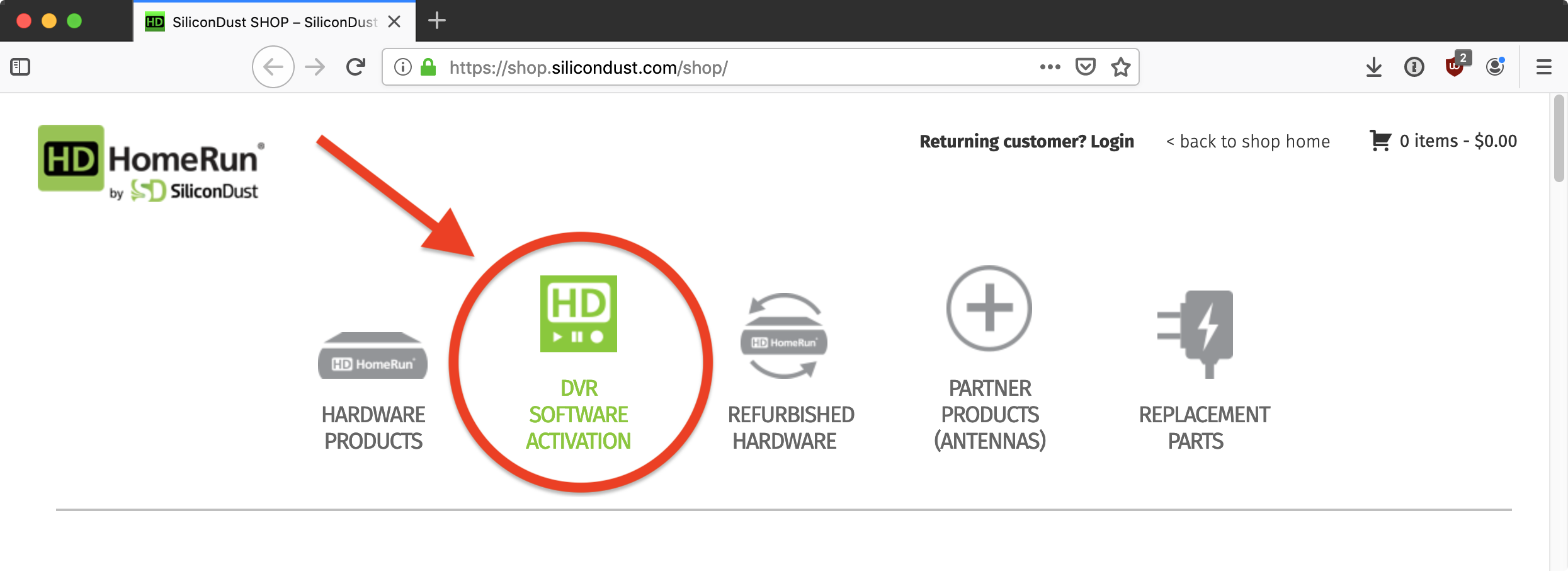
Go to https://shop.silicondust.com and click on the DVR software activation link.
Step 2
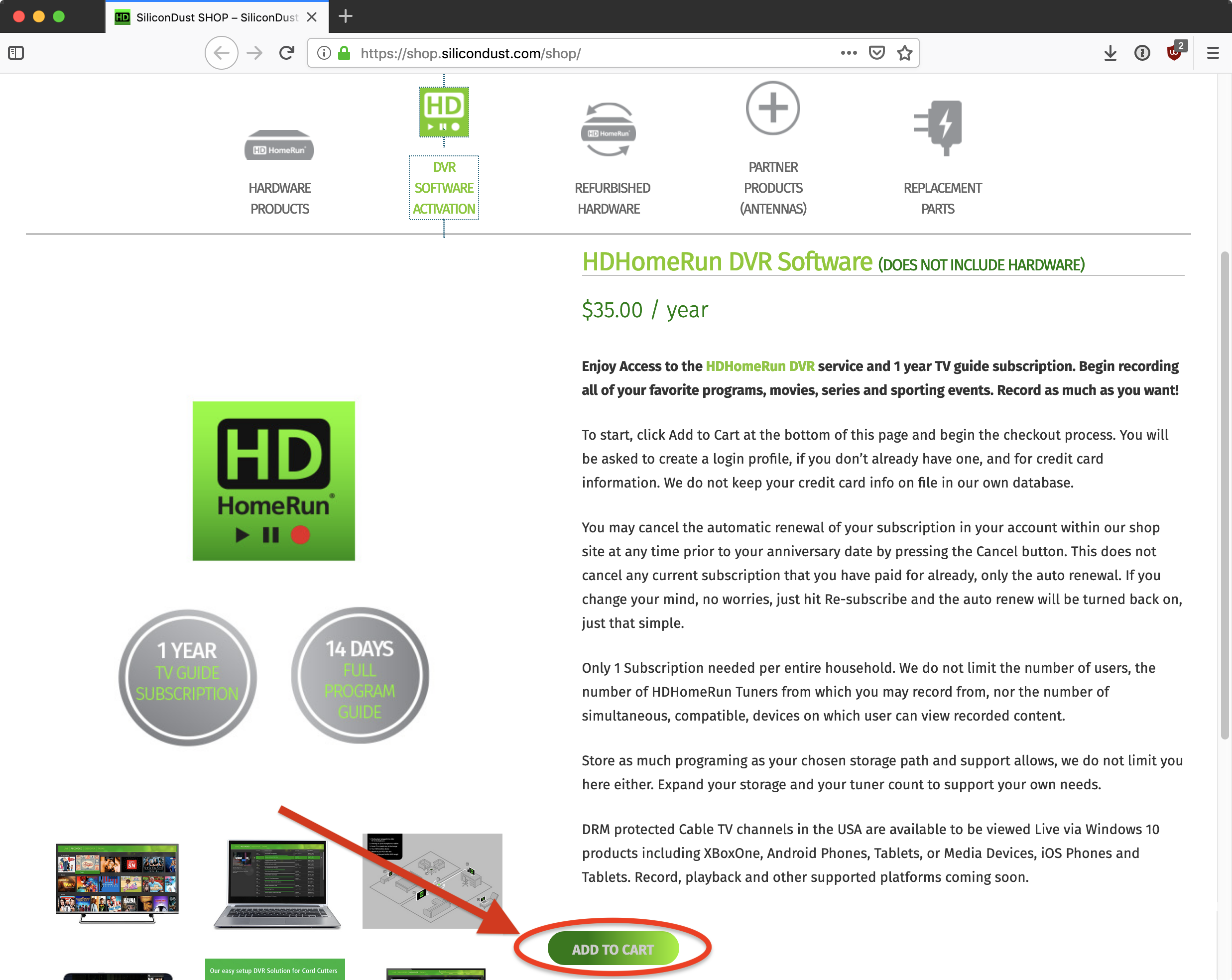
Scroll down and click on the “ADD TO CART” button.
Step 3
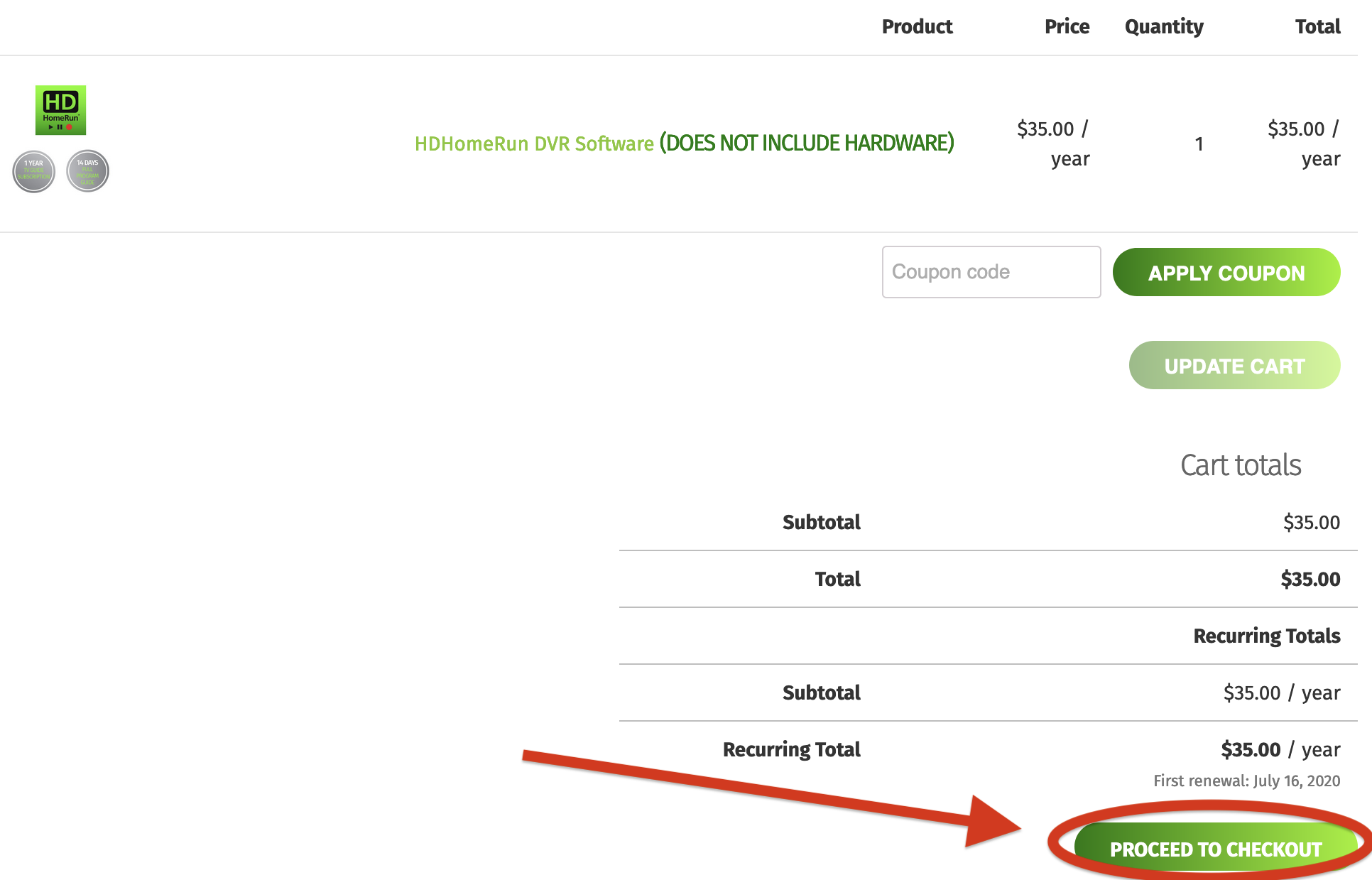
Scroll down and click on the “PROCEED TO CHECKOUT” button.
Your subscription will automatically renew every year unless you cancel the automatic renewal.
Step 4
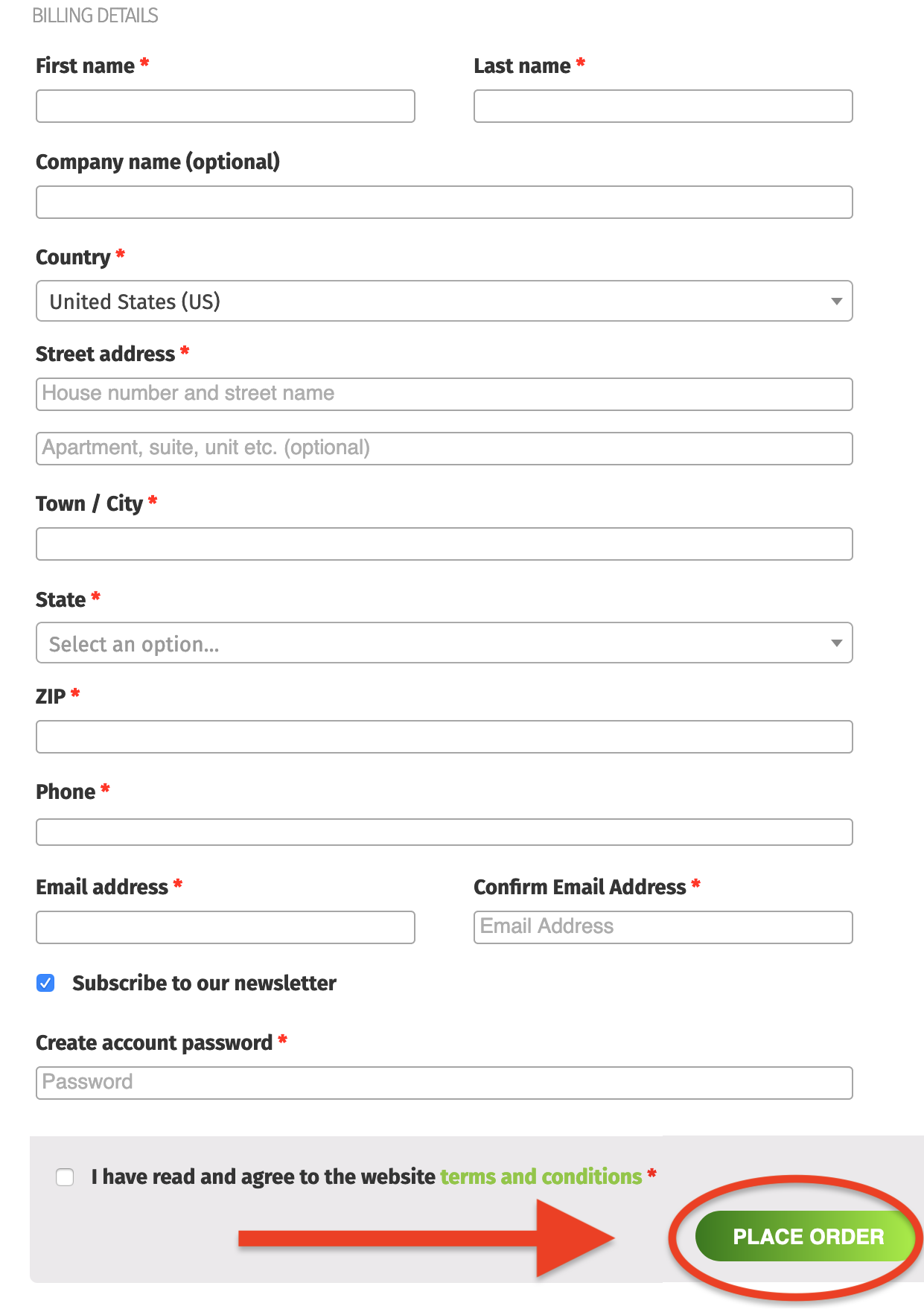
Fill in your billing information, as well as choosing a password for your HDHomeRun shop account. Be sure to save your password in a safe place.
When finished, scroll down to the bottom of the page and click on the “PLACE ORDER” button.
This account can be used to manage the automatic renewal for the DVR subscription, and can also cancel automatic annual renewals. You can also use this account to buy additional HDHomeRun hardware and services.
Activation
Part 1
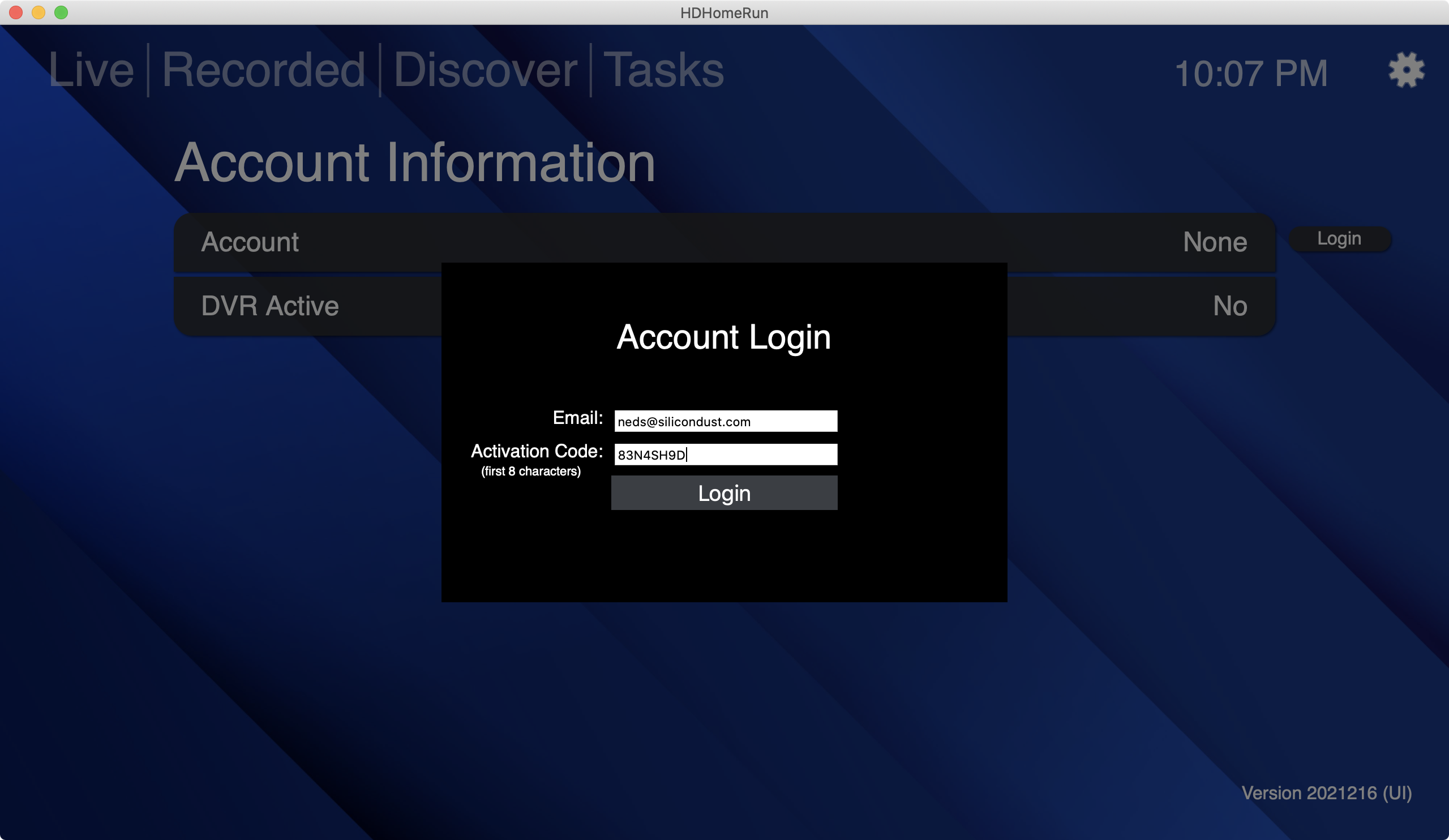
- Open the HDHomeRun app on a Windows 10/11 PC, Mac, iPhone, iPad, Android phone/tablet/TV, Fire device/TV, or LG smart TV
- Press “Back” or the menu button to access the “Live/Recorded/Discover/Tasks” screen
- Select the gear icon in the top-right corner
- Select “Account information”
- Select “Login”
- Use the e-mail address you used when you signed up for DVR service
- Then enter your shop account password
- Finally, select “Login” to save the login information
Part 2
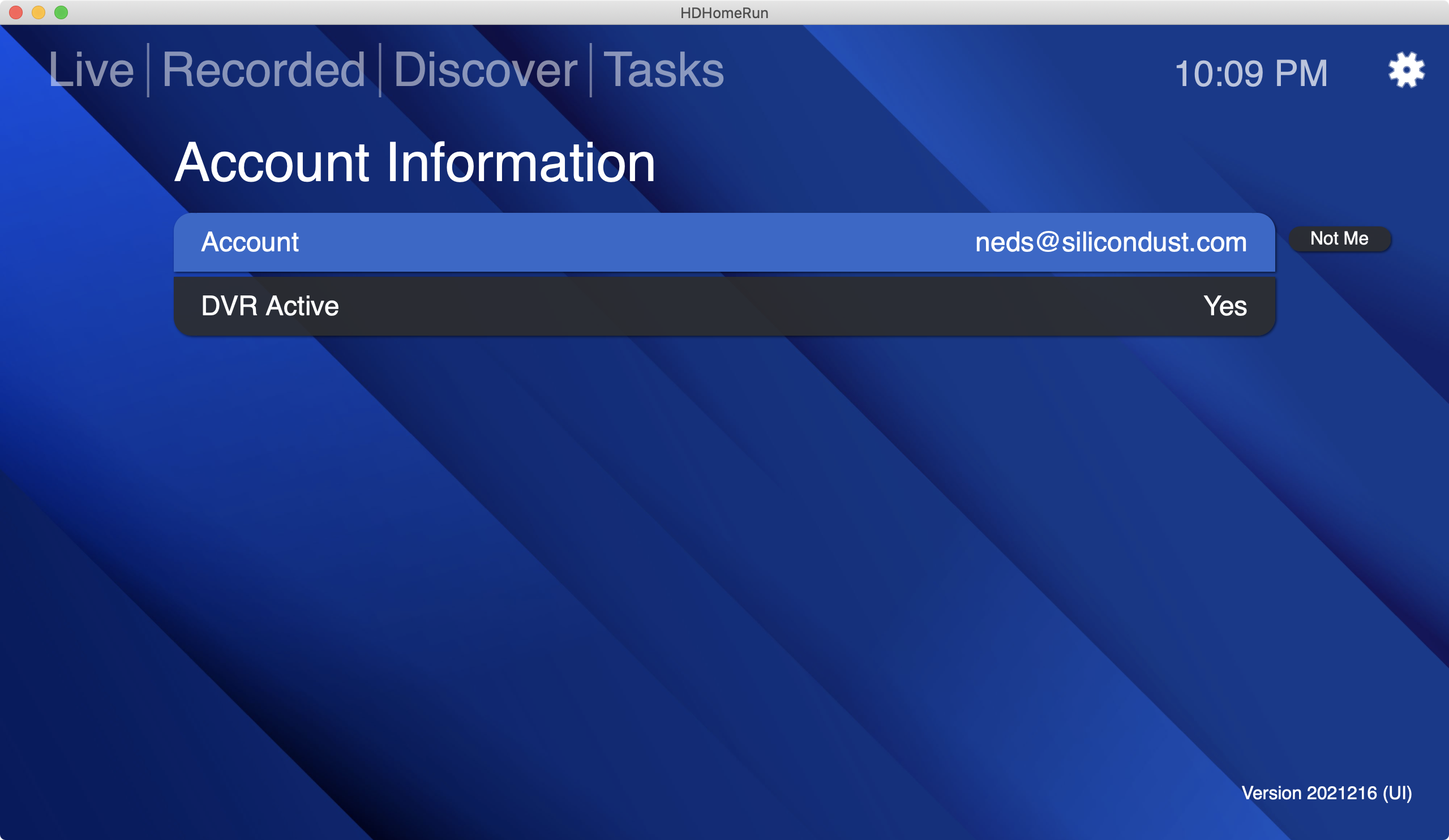
If all goes well, you should see your e-mail address under “Account” and “DVR Active” should show “Yes”.
You can now proceed to the next phase, setting up your local DVR storage.
If registration is unsuccessful, please open a trouble ticket: https://www.silicondust.com/support/trouble-ticket/
Next step: Setting up a DVR storage device