HDHomeRun with Google Fi VPN
Android devices using the Google Fi VPN, such some Google Pixel phones, may need some additional settings to allow the HDHomeRun app to work.
Adding an exception for HDHomeRun
Step 1

 Open the Google Fi app and tap “Privacy & security”
Step 2

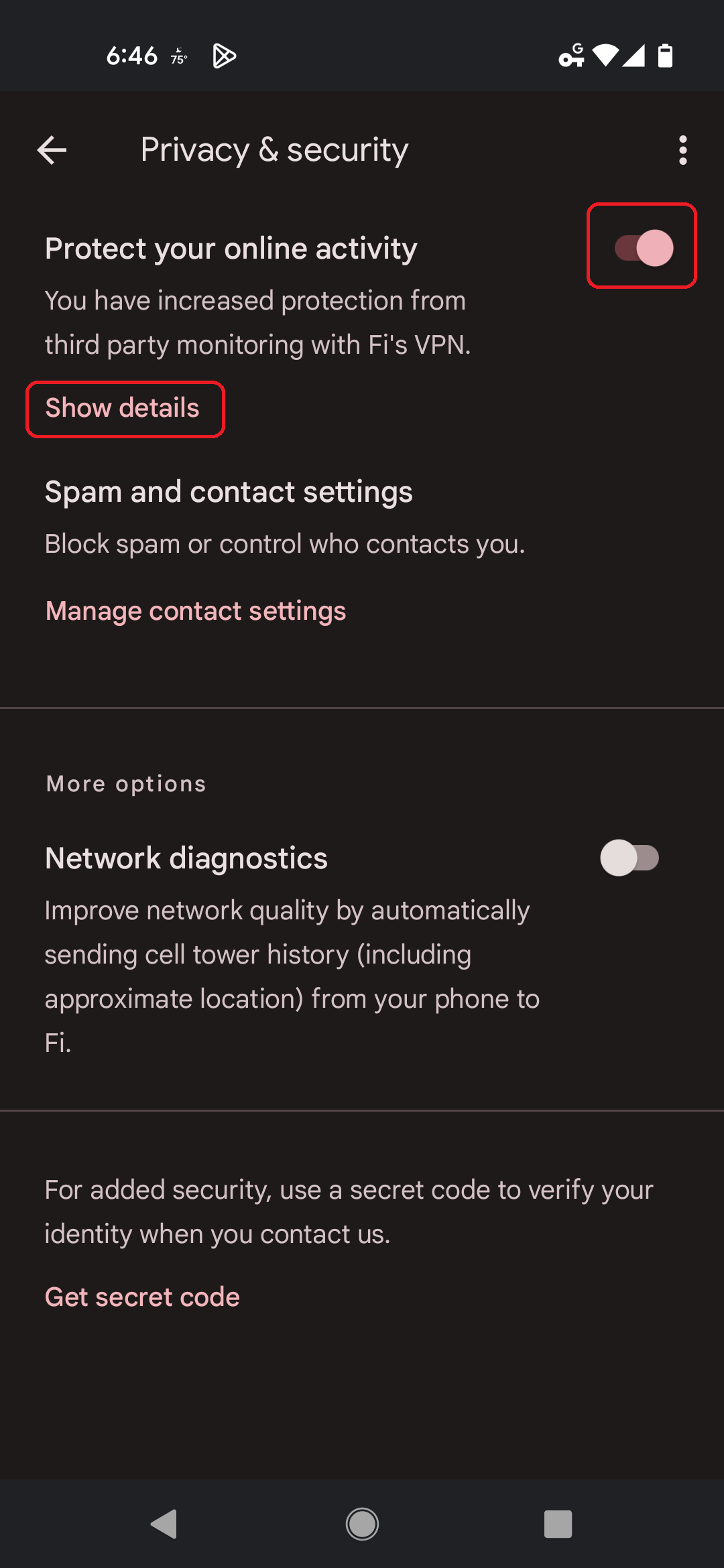 Tap “Show details”
Alternatively, you can turn off “Protect your online activity”, which will disable the VPN.
Alternatively, you can turn off “Protect your online activity”, which will disable the VPN.
Step 3

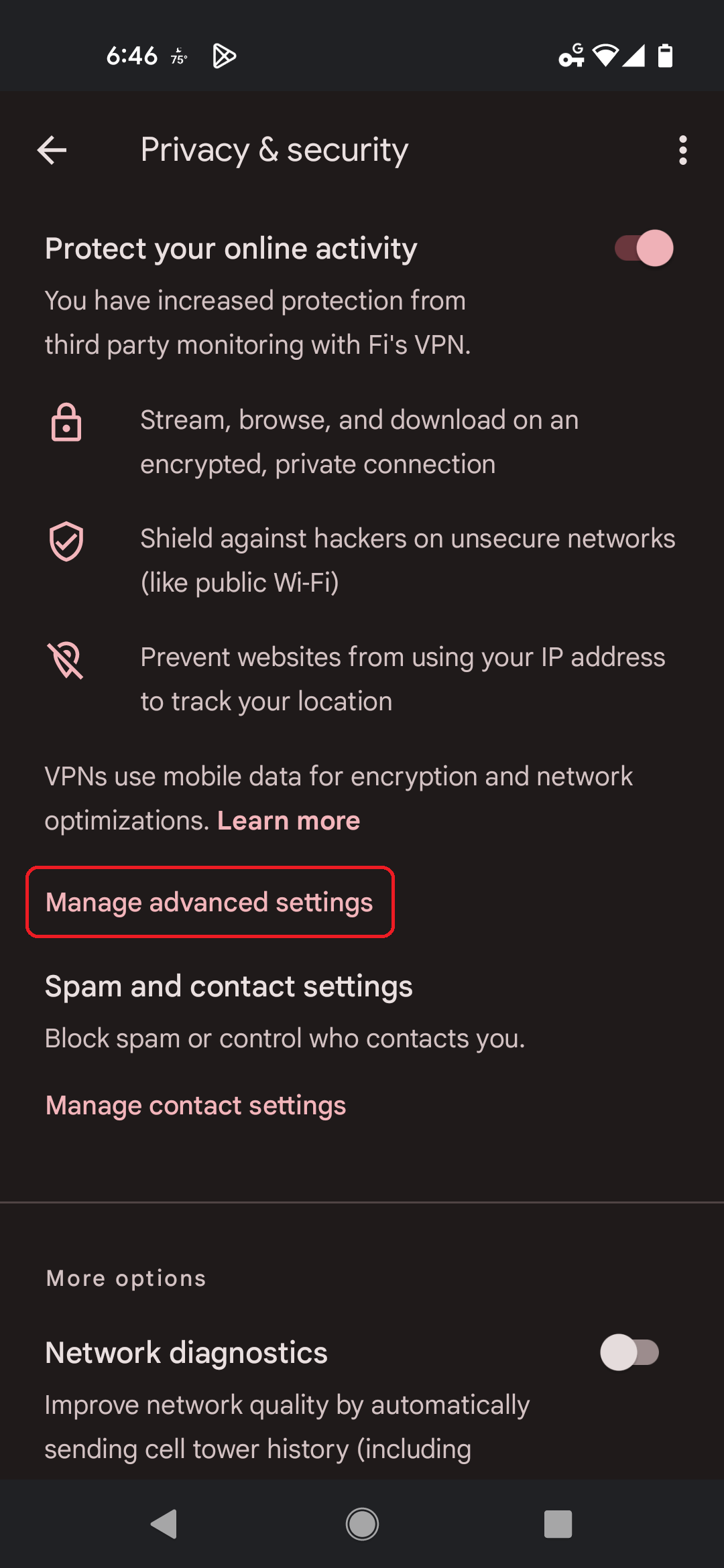 Tap “Manage advanced settings”
Step 4

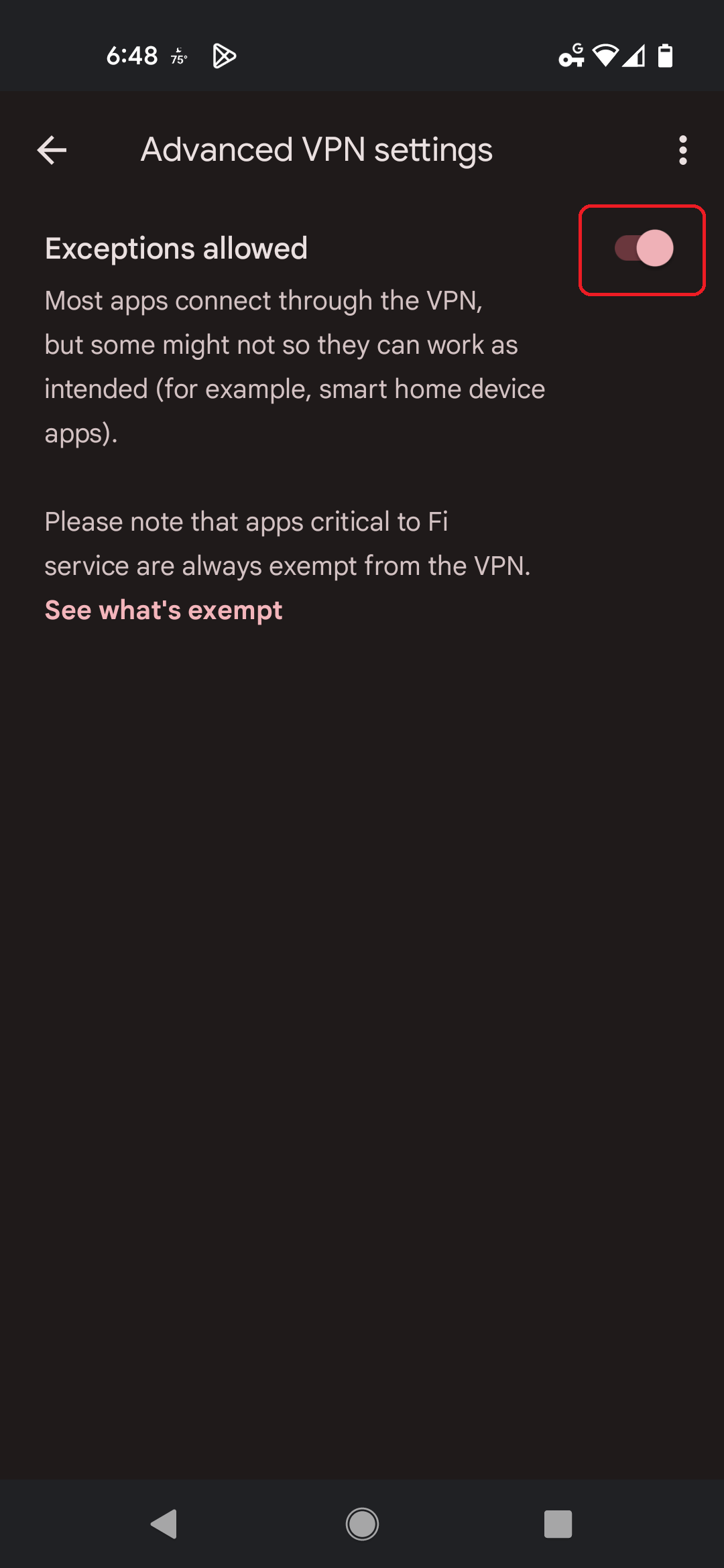 Disable “Exceptions allowed”
Step 5

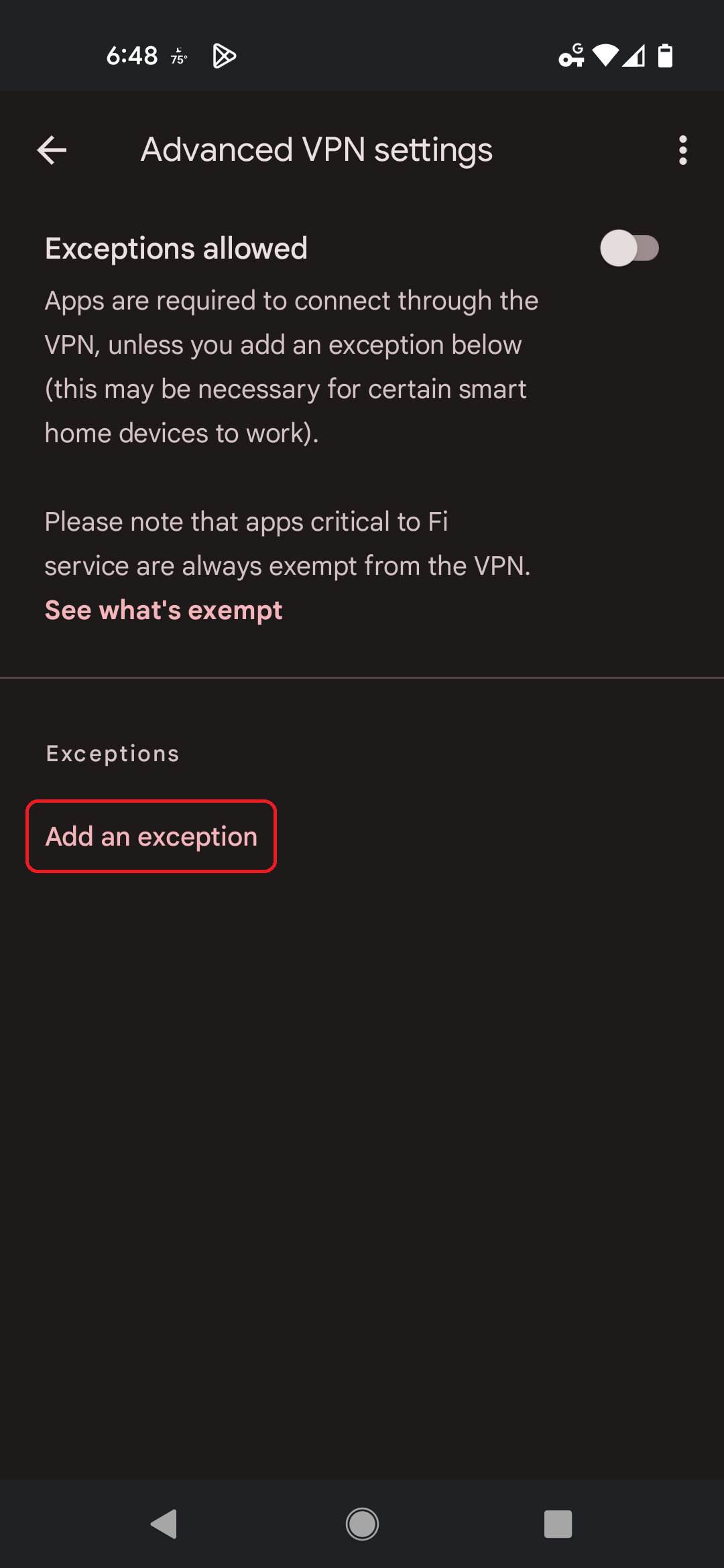 Tap “Add an exception”
Step 6

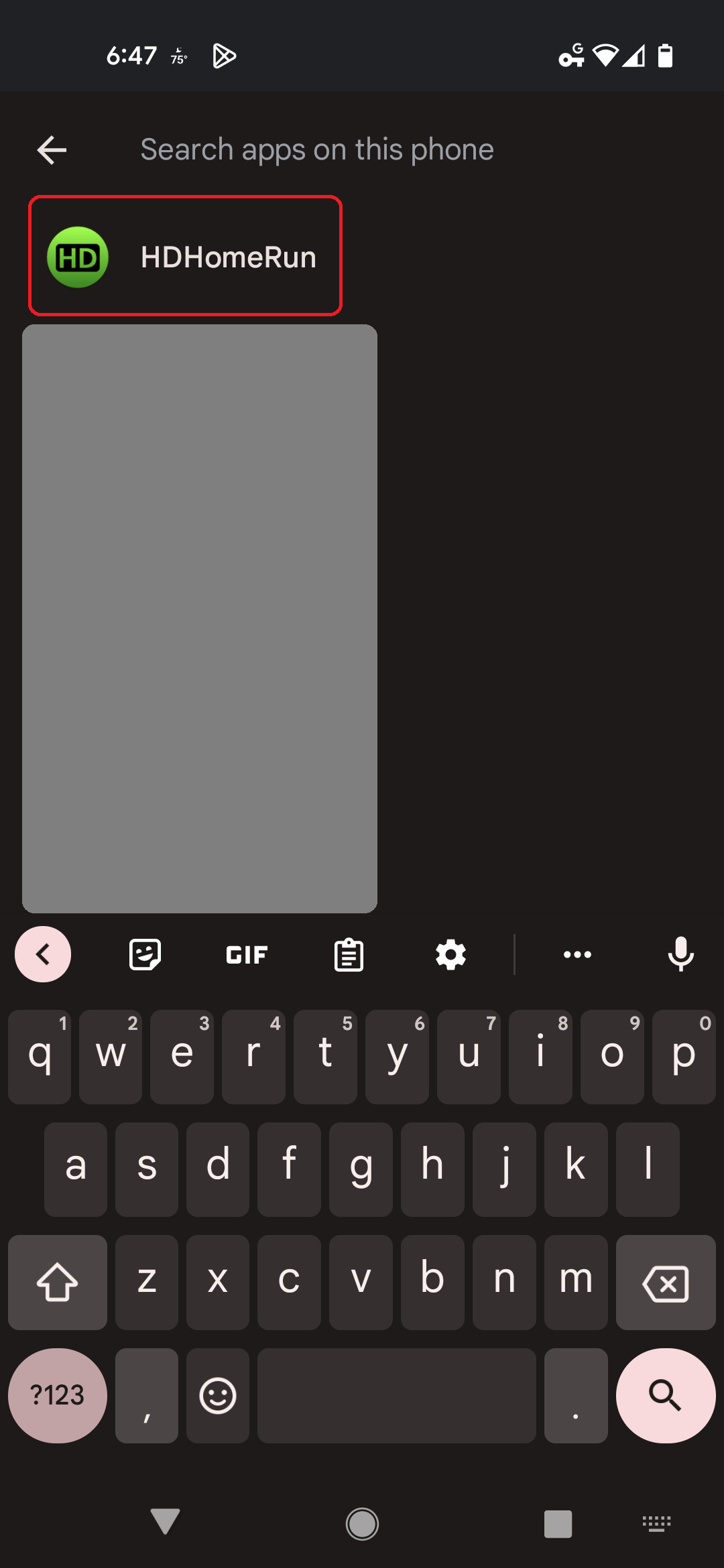 Type in “HDHomeRun” and select it
Step 7

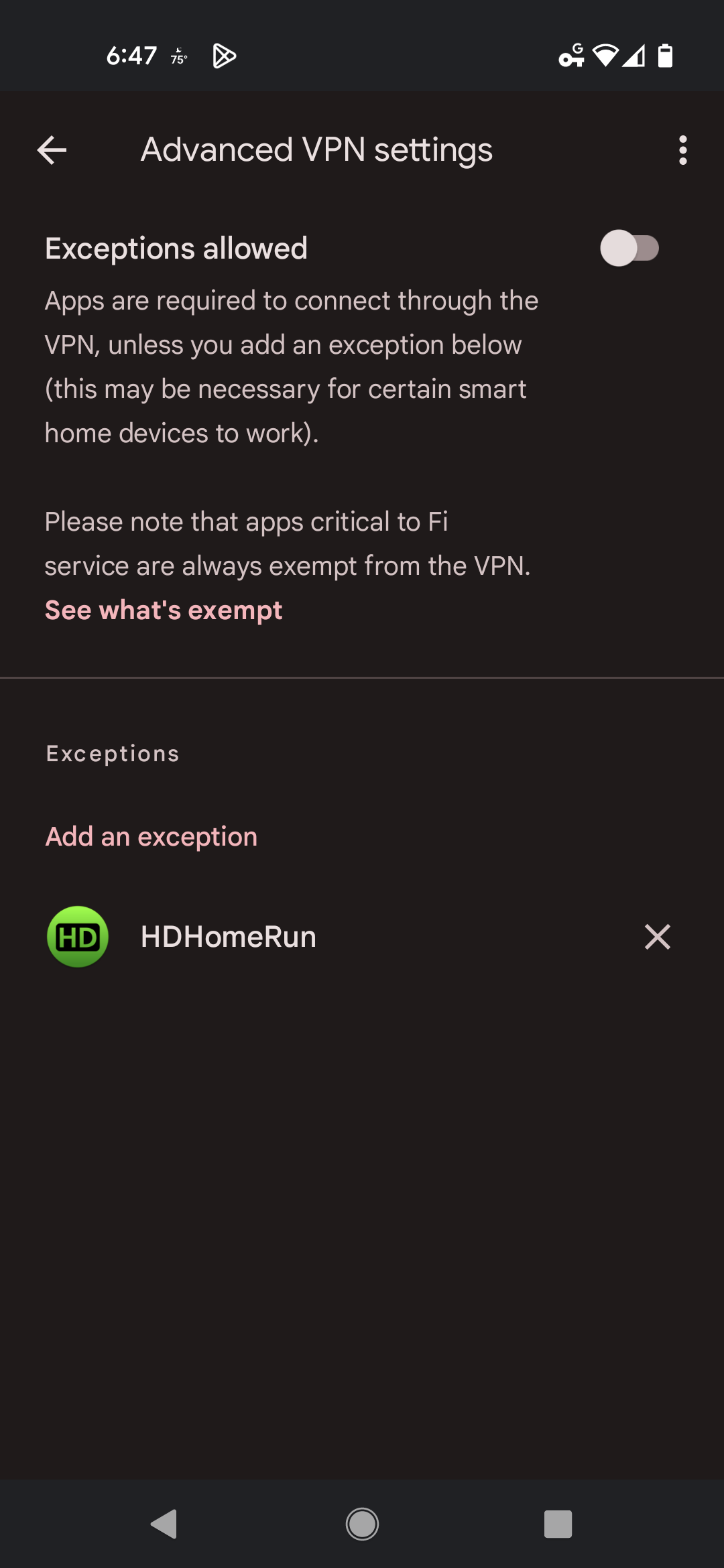 Your screen should now look like this. You're done!